A student who is marked present for every class can still miss a lot of instruction. Ten minutes out during second period, fifteen during sixth, a few long trips to the nurse on Fridays. None of that shows up in the attendance record. And if the same student is also picking up behavior referrals, the pattern is usually sitting in three different places that nobody looks at together.
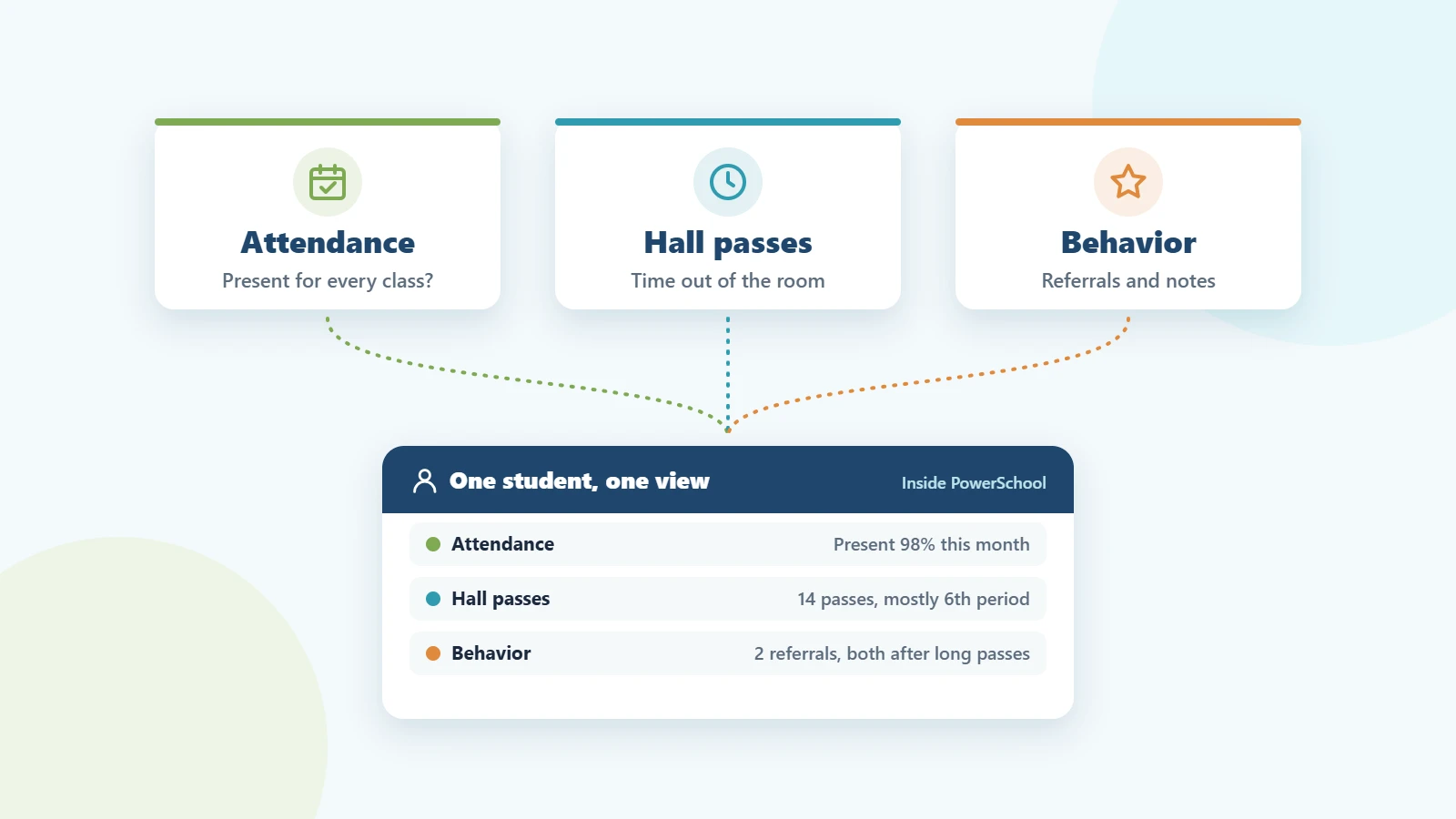
That’s the case for connecting hall pass, attendance and behavior data. Each one answers a different question. Together they show what’s actually happening with a student, early enough to do something about it.
What each kind of data tells you
Attendance tells you whether a student was in class when roll was taken. It’s the record your state cares about, and it’s usually reliable. What it can’t tell you is what happened after roll was taken.
Hall passes fill that gap. A digital pass records when a student left, where they went, how long they were gone and whether they came back on time. Over a few weeks, that adds up to a clear picture of how much class time each student is missing, and when.
Behavior records show the incidents that got written up: referrals, interventions and positive notes. They often explain the “why” behind other patterns, but on their own they miss the quieter signs that come first.
Where the patterns show up
When you look at the three side by side, a few patterns come up again and again:
- Present, but not really in class. A student with near-perfect attendance who leaves the same period every day. Often it’s a class they’re struggling in, a conflict with another student, or something going on outside school.
- Hallway time before a referral. Long or frequent passes in the weeks before a behavior incident. Plenty of incidents start in a hallway or restroom, not a classroom.
- The same period, the same destination. Repeated restroom or nurse passes during one class can point to anxiety, a health need or avoidance. A counselor check-in is usually a better first step than a pass limit.
- Students who keep ending up out together. Two students with a history who are regularly in the hall at the same time.
None of these is proof of anything on its own. They’re prompts for a conversation, and they’re much easier to spot when the data isn’t split across a paper log, a spreadsheet and a separate app.
Why the data needs to live in one place
Most schools already track all three. The trouble is that the records live in different systems. Attendance is in the SIS. Behavior might be in the SIS or in a separate PBIS tool. Hall passes are on paper, or in a standalone app with its own logins and roster sync.
When that happens, connecting them falls to a person. An assistant principal exports a pass report, pulls attendance from the SIS, opens the behavior log and tries to line up dates by hand. It gets done for students who are already in crisis. It rarely gets done early, for students who are just starting to slip.
Keeping the records in the same system changes that. Staff look up a student once and see the whole picture. Reports use the same rosters, the same bell schedule and the same student IDs, so nothing has to be matched by hand.
A simple weekly routine
You don’t need a data team to get value from this. Twenty minutes a week goes a long way:
- See who was out the most. Pull pass history for the week and look at who had the most passes and the most minutes out.
- Look at overdue passes. A student who is regularly late coming back is a different conversation from one who simply goes often.
- Cross-check the top names. For the students at the top of the list, check their attendance and behavior records for the same weeks.
- Pick one action per student. A counselor check-in, a call home, a seating change or a quick word with the teacher.
- Watch the next week. See whether the pattern changes before deciding on anything stricter.
How PureData handles it in PowerSchool
For schools on PowerSchool, PureData’s Digital Hall Pass, Attendance and Behavior Management plugins all run inside PowerSchool. Pass history, attendance and behavior records sit in the same system, use the same rosters and bell schedule, and staff review them with the logins they already have.
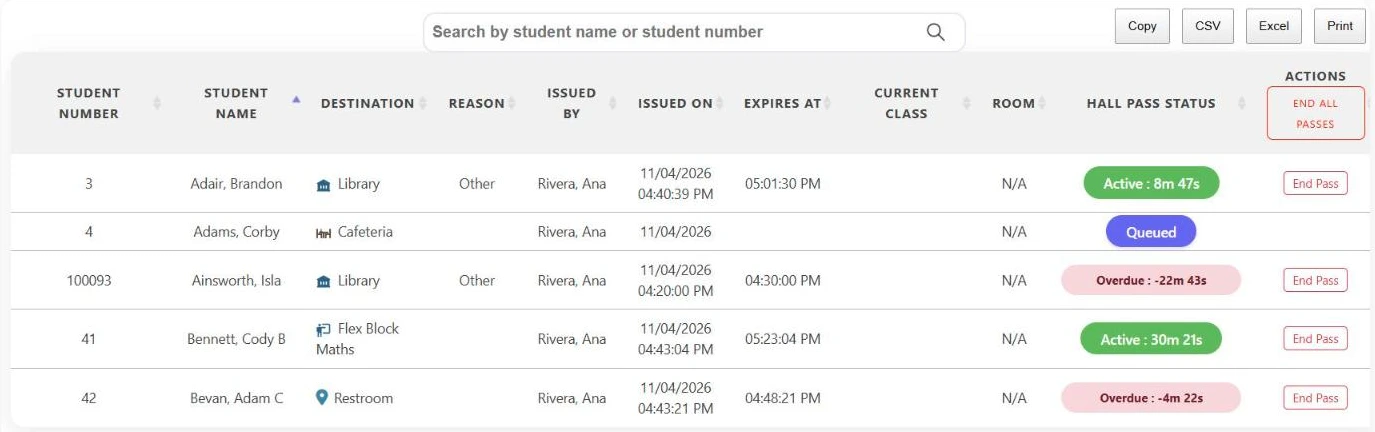
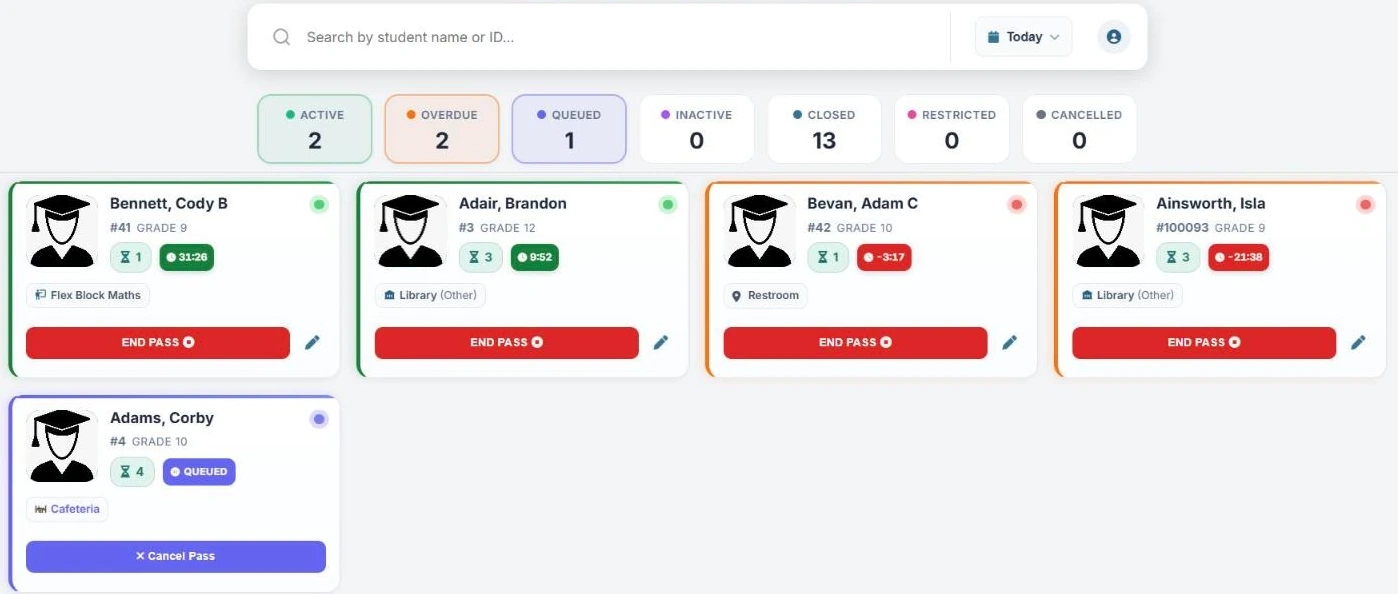
The Digital Hall Pass gives administrators a live dashboard of every active, overdue and queued pass, plus reports by student, destination, reason, status and date range that export to CSV or Excel. The Behavior Management Plugin is available today and works alongside the Hall Pass. Coming soon, the Hall Pass will also flag students with an open referral automatically when they request a pass.
Setup takes 24–48 hours, followed by an afternoon of staff training. If you’re comparing options, our digital hall pass buyer’s checklist covers what to ask on every demo, and our guide to real-time student movement tracking covers the day-to-day side.
Frequently asked questions
Does time on a hall pass count against attendance?
No. A student on a hall pass is still marked present. That’s exactly why pass data is useful: it shows class time missed that attendance doesn’t capture.
How many hall passes is too many?
There’s no single number. Most schools set limits per destination, such as a few restroom passes per day, then look more closely at students who regularly hit the limit or come back late.
Should hall pass data be used for discipline?
It works best as an early warning, not a punishment. A pattern in pass data is a reason to check in with the student and their teachers. Discipline decisions should rest on the full picture.
Can teachers see hall pass data?
With the PureData Digital Hall Pass, administrators decide what teachers can see: all passes, passes for their own classes, or only their current class.