Once a school decides to move off paper passes, the next question is which system to choose. There are more options than there were a few years ago, and on a demo most of them look alike: a student taps a button, a teacher approves, a dashboard fills up. The differences show up later, usually in week three, when a schedule changes, a substitute can’t log in, or a parent asks for a record of every time their child left class.
This checklist is meant to help you find those differences before you sign anything. It’s organized into five areas. Print it, bring it to your demos, and score each option the same way.
Start with the problems you’re solving
Before comparing features, write down the two or three things that are actually going wrong today. For most schools it’s some mix of:
- Not knowing who is out of class at any given moment
- A small group of students who leave class far more often than everyone else
- Students meeting up in the halls when they shouldn’t be
- Teachers being pulled away from teaching to write passes
Every feature you look at should connect back to one of these. If it doesn’t, it’s a nice-to-have.
The checklist
1. Everyday use
This is what teachers will judge the system on, usually within the first week.
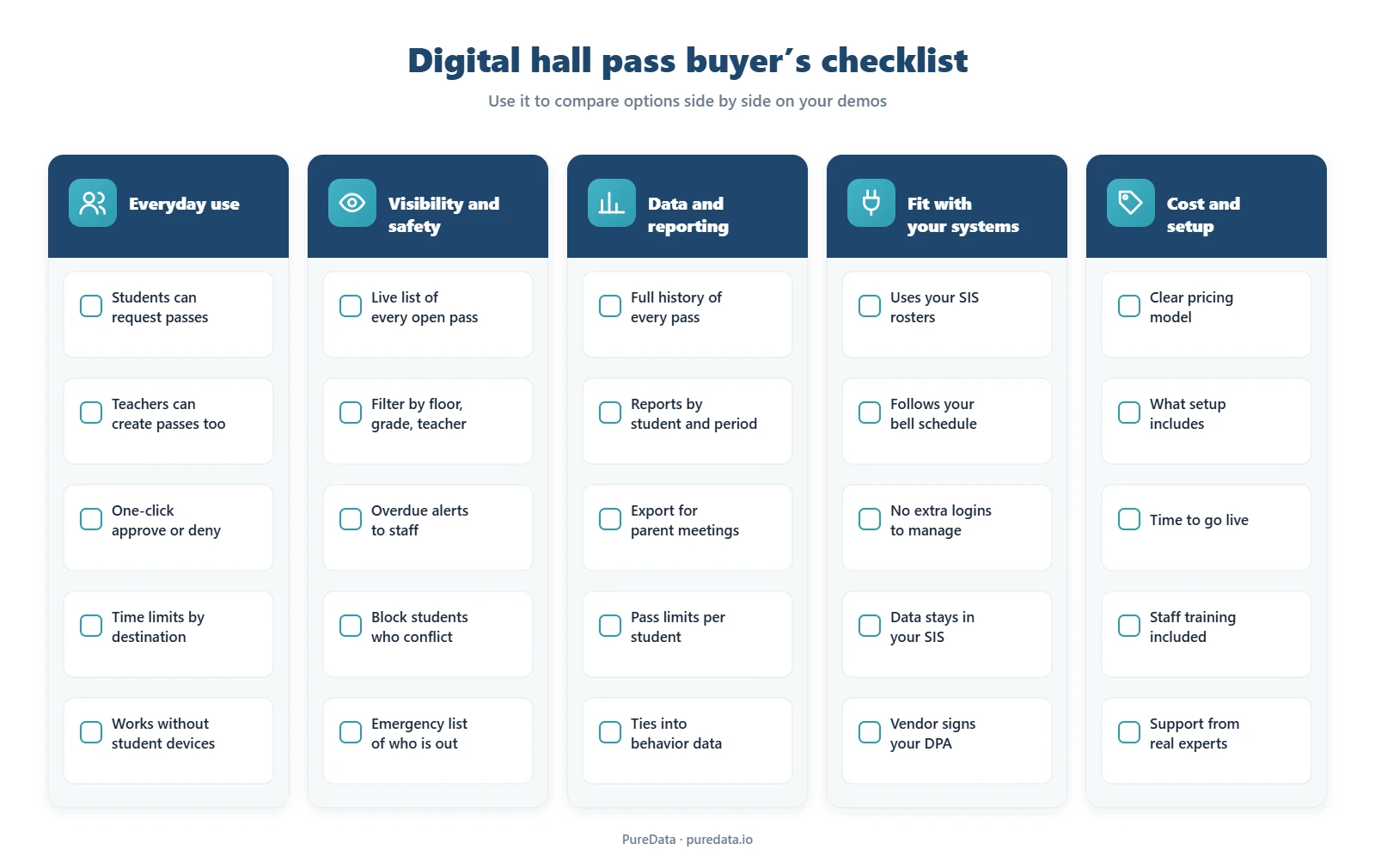
- How passes get started. Can students request their own passes? Can a teacher create one in a few seconds when needed? Is there a kiosk option for classrooms without 1:1 devices?
- Approval. Approving or denying should take one click and shouldn’t pull the teacher out of the lesson.
- Time limits by destination. A restroom trip and a counselor visit shouldn’t share the same limit.
- Younger grades. If students don’t have their own logins, make sure teacher-created passes work well on their own.
2. Visibility and safety
- A live view of every open pass, filterable by floor, grade or teacher, so a dean can check the halls without walking them.
- Overdue alerts that reach the teacher, and an administrator if you want, without anyone watching a timer.
- Conflict rules that stop two specific students from being out at the same time.
- An emergency list. During a lockdown or a drill, can you see who was outside a classroom within seconds?
3. Data and reporting
- Complete history. Every pass should be stored with the time out, time back, destination and issuing teacher.
- Useful reports by student, period, destination and date range, with trends you can spot at a glance.
- Exports you can bring to a parent meeting, a discipline review or a board presentation.
- Pass limits per student per day or week, for students who need closer support.
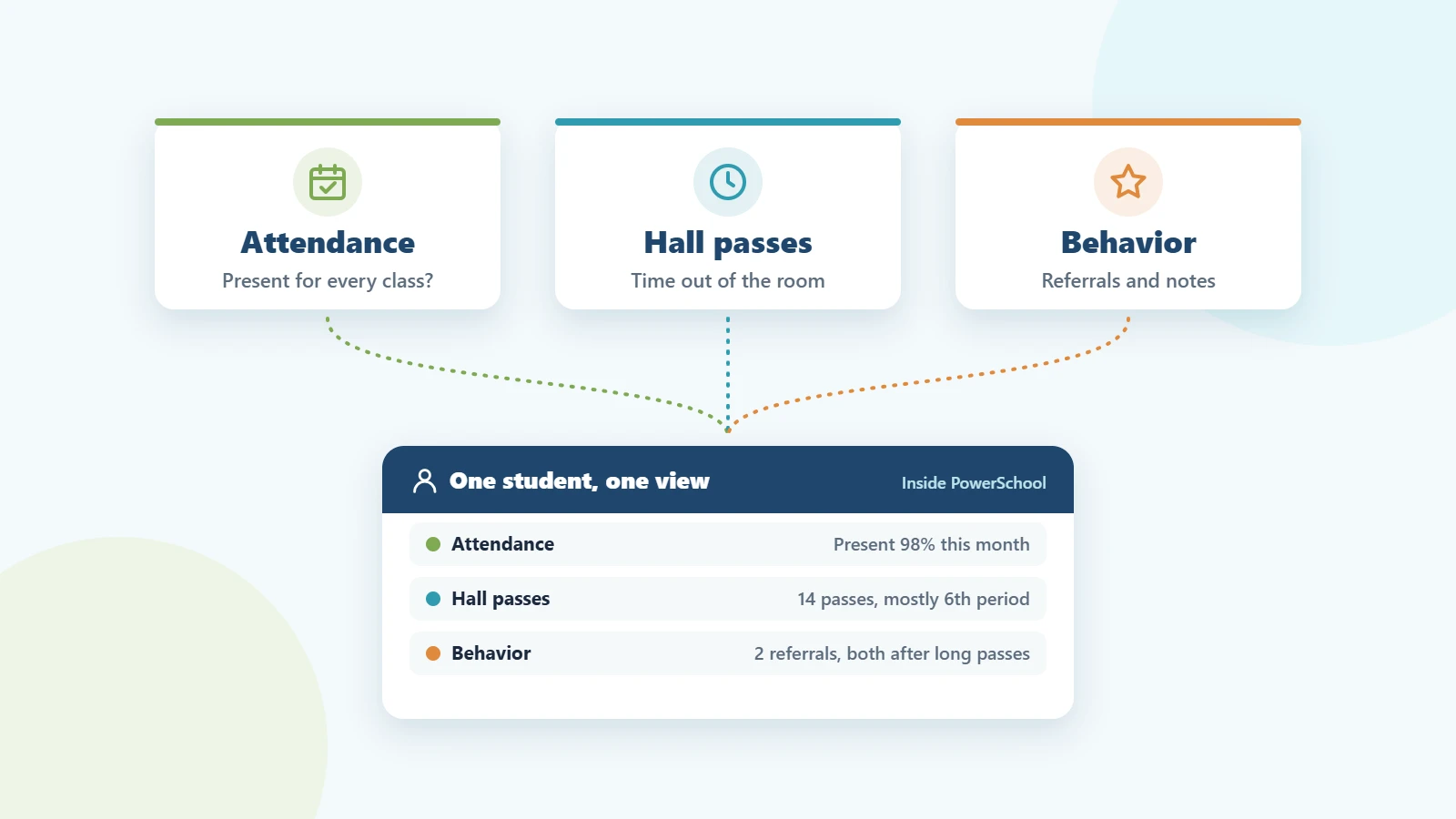
- Connection to other records. Pass data is far more useful next to attendance and behavior data than on its own.
4. Fit with your systems
This is where the biggest long-term differences are, and where demos tell you the least.
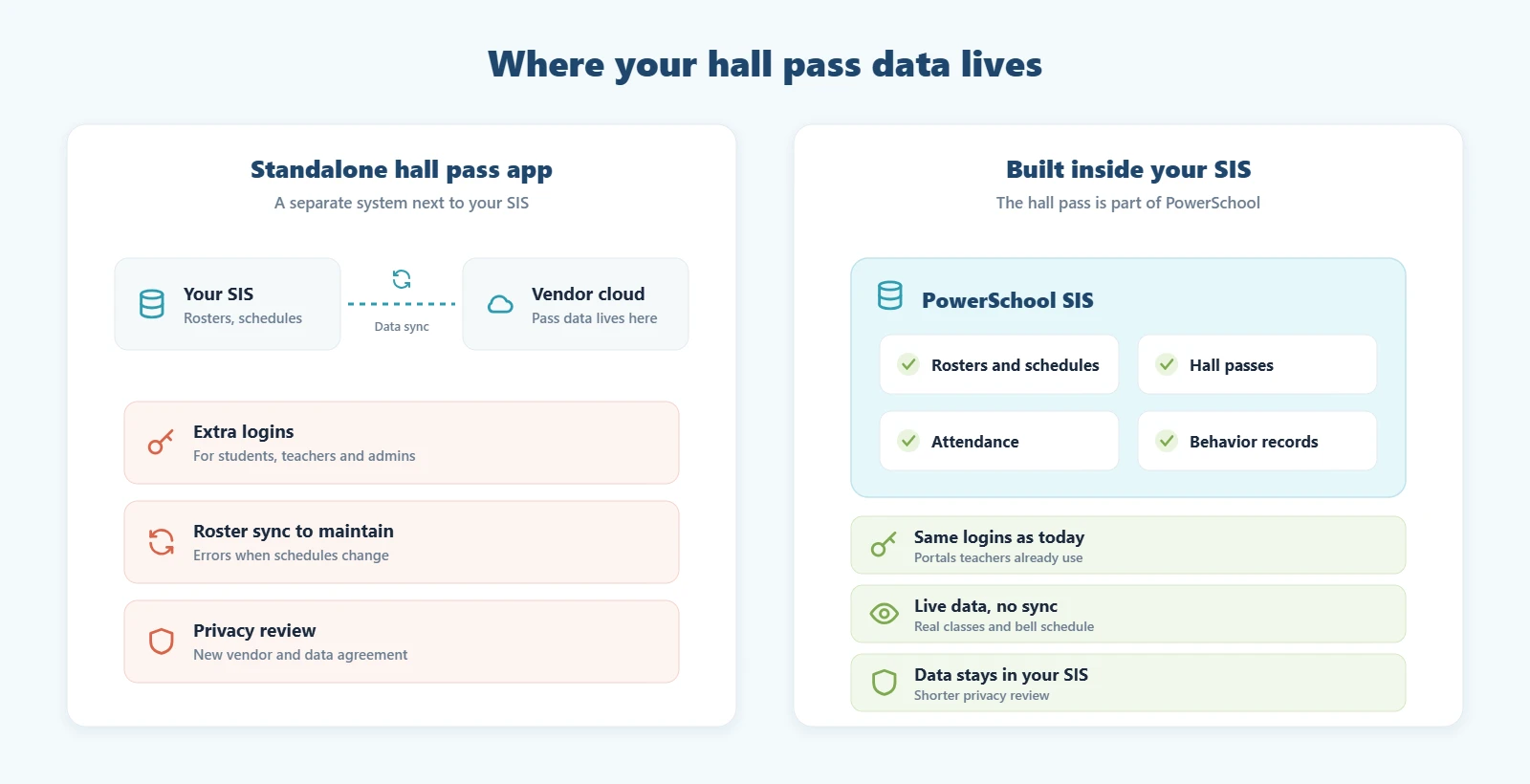
- Rosters and schedules. Does the system use your student information system’s real rosters and bell schedule, or does it depend on a sync that can fall out of date?
- Logins. Will students and staff use accounts they already have, or will you be managing a new set of passwords?
- Where the data is stored. Inside your SIS, or on the vendor’s servers? This affects your privacy review and who controls the records.
- Privacy agreements. Will the vendor sign your district’s data privacy agreement (DPA), and will they answer FERPA questions in writing?
5. Cost and setup
- Pricing model. Some hall pass tools charge per student per year, others charge a flat price per school, and some bundle the hall pass with other modules. Work out the total for your enrollment, not the headline number.
- What setup includes. Who configures destinations, time limits and alerts? Is staff training part of the price?
- Time to go live. Ask for a realistic timeline, from signed agreement to the first pass issued.
- Support. When something goes wrong during second period, who do you call, and how quickly do they respond?
Questions to ask on every demo
- Show me what a teacher sees when a student requests a pass in the middle of a lesson.
- What happens when a student’s schedule changes mid-semester?
- Show me the hallway view during a lockdown drill.
- How do I pull every pass for one student over the last 30 days?
- Where is our pass data stored, and what happens to it if we stop using your product?
- What exactly is included in the price, and what costs extra?
- How long until our first pass is issued, and who does the setup?
Red flags to watch for
- The demo only uses perfect sample data and never shows a schedule change or a substitute teacher.
- Teachers need a separate login, or the vendor suggests keeping an extra tab open all day.
- Pricing is per student, but the quote doesn’t show the total for your enrollment.
- The vendor can’t say clearly where student data is stored, or whether they’ll sign your DPA.
If your school uses PowerSchool
The PureData Digital Hall Pass was built for schools that run PowerSchool SIS. It works inside the PowerSchool student, teacher and admin portals, so there are no new logins and no roster sync. It uses your live rosters and bell schedule. Pass history stays in PowerSchool next to attendance records, and a connection with the PureData Behavior Management Plugin is on our roadmap. Our team handles setup within 24–48 hours, followed by an afternoon of staff training, and pricing starts at $149 per school per month for schools under 1,000 students.
Still deciding whether to move off paper at all? Start with Paper vs. Digital Hall Passes: Why Schools Are Switching.
Frequently asked questions
What is the most important feature in a digital hall pass?
A live, building-wide view of who is out of class, with alerts for students who don’t come back on time. Most other features build on that.
Should a digital hall pass integrate with our student information system?
It’s worth making a priority. Systems that use your SIS rosters and schedule avoid sync errors and extra logins, and keeping pass data in the SIS can shorten your privacy review.
How are digital hall passes usually priced?
Most are priced per student per year or as a flat fee per school, and some are bundled with other tools. Compare the total cost for your enrollment, including setup and training.
How long does it take to set up a digital hall pass?
Anywhere from a day to several weeks, depending on the vendor and how much configuration is needed. The PureData Digital Hall Pass for PowerSchool is set up within 24–48 hours.
Want to see how PureData scores on this checklist? Request a demo and bring your questions.