Ask an assistant principal what part of the day is hardest to manage, and a lot of them will say the minutes between and during classes when students are out of the room. It’s not that hallways are chaotic. It’s that nobody has the full picture. The teacher knows one student left. The dean sees three students by the stairwell. The front office has a parent on the phone asking where their daughter is. Each person has a piece, and none of them can see the rest.
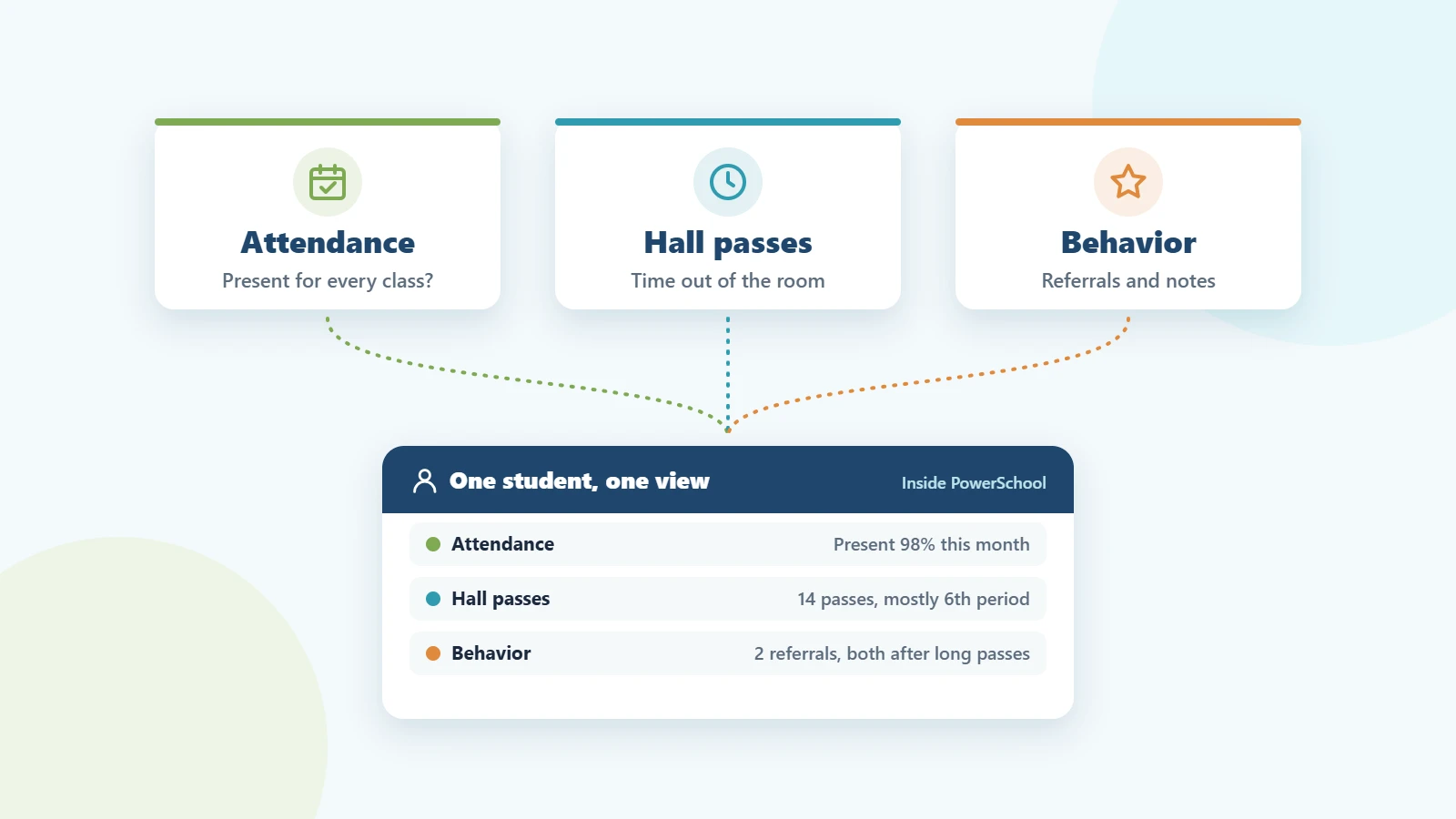
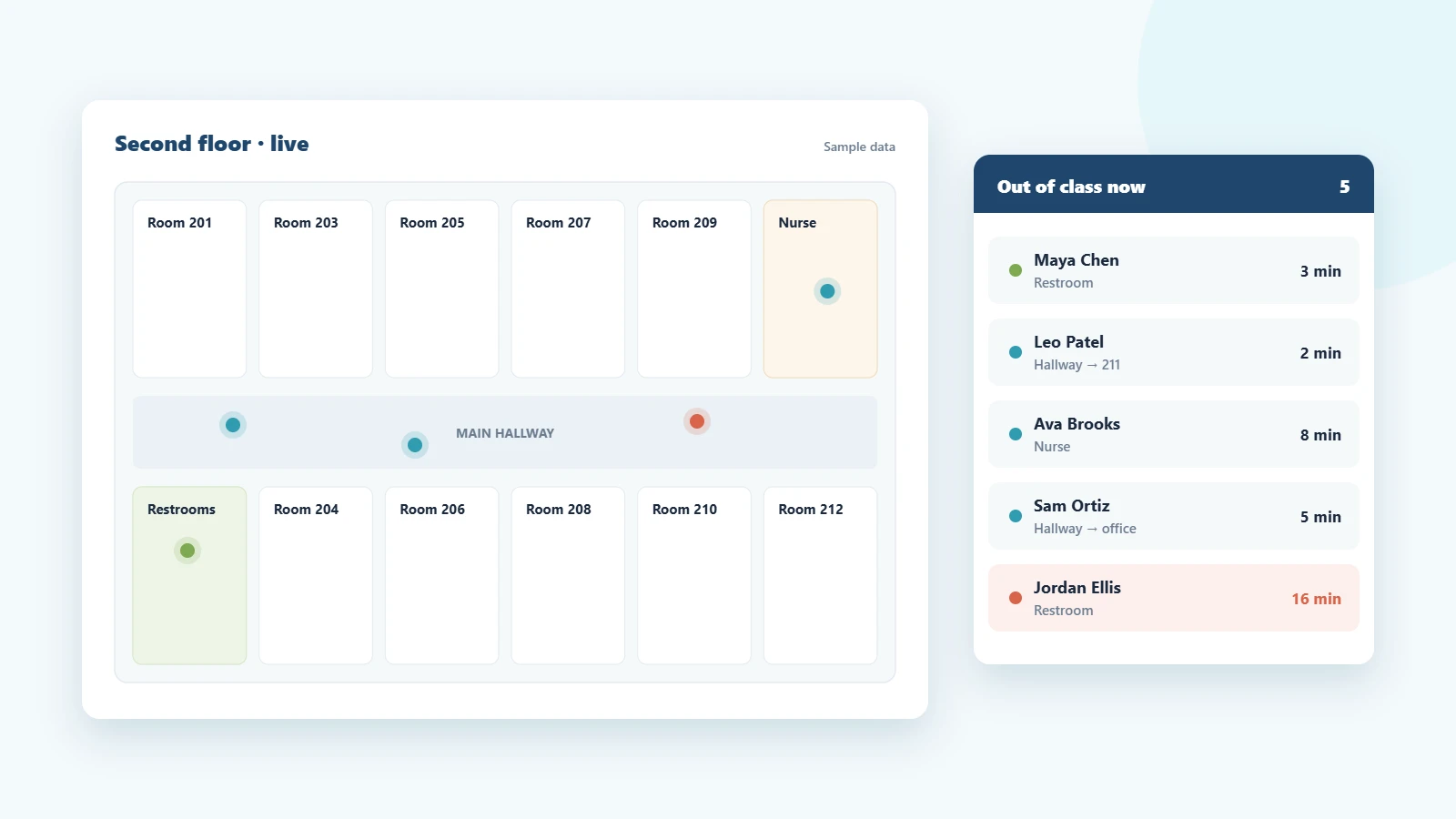
Real-time student movement tracking is about closing that gap: giving every adult who needs it the same live view of who is out of class, where they went and how long they’ve been gone. Here’s where schools usually get stuck, and what fixes it.
Why real-time tracking is harder than it sounds
The information lives in too many places
Passes are written in classrooms, sign-out sheets sit by the door, the nurse’s office keeps its own log, and the front office has the visitor system. Even when each piece is accurate, there’s no single place to look. By the time someone pieces it together, the moment has passed.
Teachers apply the rules differently
One teacher allows one student out at a time; the room next door allows three. One sets a five-minute limit; another never checks. Students learn quickly which rooms are easy to leave, and patterns build up that no one notices because the rules were never the same to begin with.
Problems surface late
With paper, you find out a student was gone for 25 minutes when they walk back in, or when another teacher sends them back. You find out two students were meeting in the restroom after something has already happened.
There’s no record to learn from
Without history, every conversation about hallway behavior starts from opinion. It’s hard to tell a family their child leaves class too often when the only evidence is a teacher’s impression.
What fixes it
1. One live view everyone shares
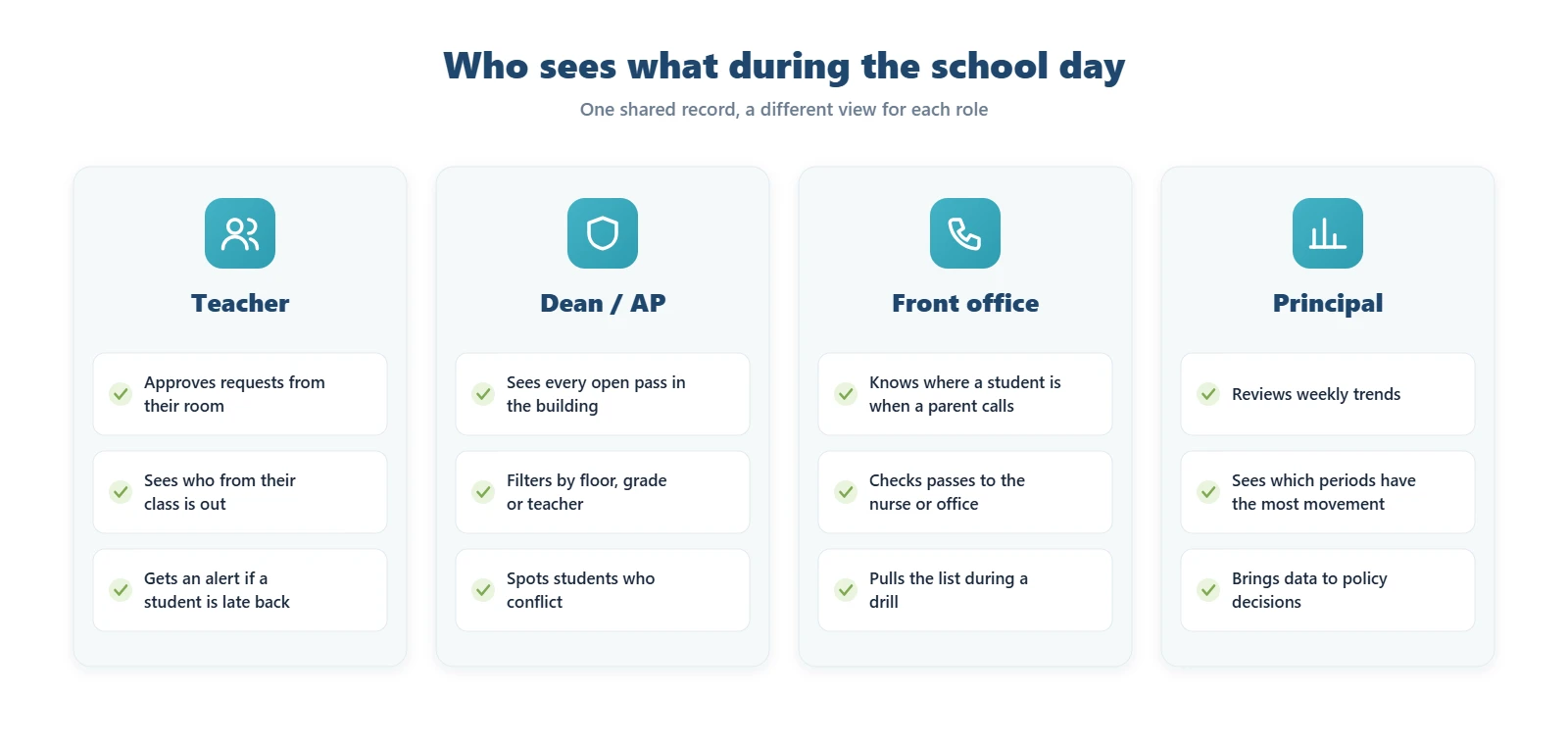
The most important change is a single, always-current list of open passes. Teachers see their own students; deans and administrators see the whole building, filtered by floor, grade or teacher. When everyone is looking at the same record, a lot of the back-and-forth phone calls simply stop.
2. Rules set once, applied everywhere
Decide as a building how many students can be out of one room at a time, how long each type of pass should last and which students shouldn’t be out together. Then let the system enforce it. Teachers no longer have to be the one saying no, and students get the same answer in every room.
3. Alerts instead of clock-watching
Nobody should have to remember when a student left. If a pass runs past its limit, the system should flag it and tell the teacher, and the dean too if you want, while the student is still out. That’s the difference between catching a problem and reading about it afterward.
4. A short weekly review
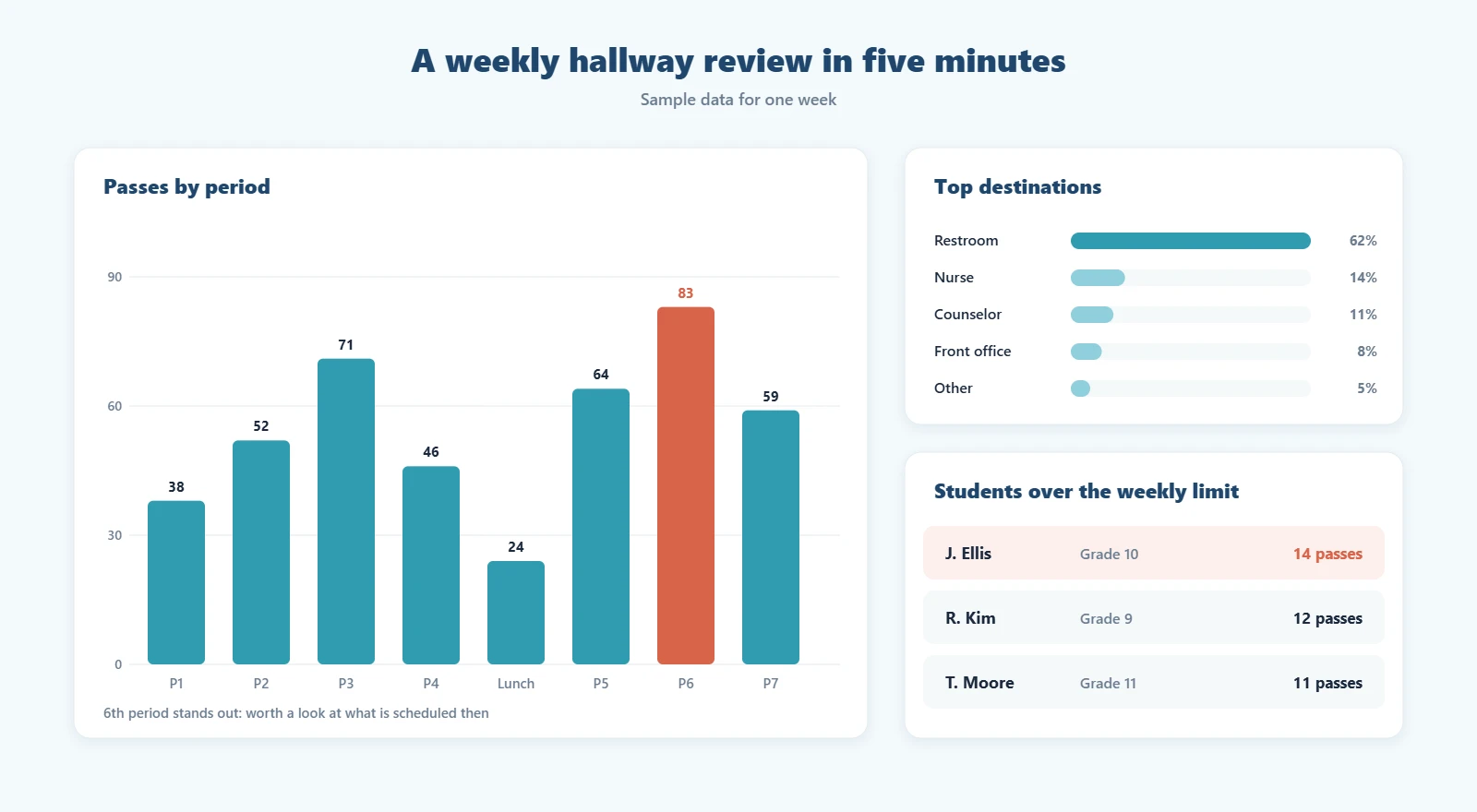
Real-time data is most useful in the moment, but the history is what changes behavior over time. A five-minute look once a week, at the busiest periods, the most common destinations and the students who are over their limit, is usually enough to spot what needs attention.
What it looks like for teachers and administrators
For a teacher, the change should feel smaller, not bigger. A student requests a pass, a pop-up appears, the teacher clicks approve, and the lesson keeps going. If the student isn’t back in time, an alert shows up. That’s it. Anything that asks more of teachers than paper did will struggle to stick.
For a dean or assistant principal, the change is bigger. Instead of walking the halls to find out what’s going on, they can check the live list between meetings, see when a pass runs long and step in before it turns into a referral. During a drill or lockdown, the list of students outside a classroom is already there.
For the front office, it means answering “where is my child?” in seconds, without calling the classroom.
Rolling it out without the pushback
- Agree on the rules first. Time limits, how many students can be out of one room at once, and how you’ll handle students who go over. The software should reflect your policy, not invent it.
- Start with the teacher experience. Show staff how little they need to do. If it takes more than a click, fix that before launch.
- Tell families what is and isn’t tracked. A digital pass records the destination and the times, nothing more. Being open about that heads off most concerns.
- Pick one or two numbers to watch. For example, passes per period and overdue passes per week. Look at them every Friday for the first month.
How the PureData Digital Hall Pass handles it
For schools on PowerSchool, the PureData Digital Hall Pass runs inside the portals your staff already use. Teachers approve requests from a pop-up in the PowerSchool teacher portal, administrators get a live hallway dashboard they can filter by destination, status or who issued the pass, and overdue passes turn red and alert the teacher automatically. You can set time limits by destination. If two students in a restricted group ask to go to the same place, the second pass waits in a queue until the first student is back. In an emergency, Emergency Lockdown freezes every active pass in one step. Pass history stays in PowerSchool, so you can pull reports by student, destination or date range and look at them alongside behavior records. Setup takes 24–48 hours, followed by an afternoon of staff training.
Comparing options? Our digital hall pass buyer’s checklist covers what to ask on every demo.
Frequently asked questions
What does real-time student movement tracking mean?
It means staff can see, at any moment, which students are out of class, where they said they were going and how long they’ve been gone. In schools, this is usually done with a digital hall pass rather than GPS or cameras.
Does real-time tracking mean following students’ locations?
No. A digital hall pass records the destination a student chose and the time they left and returned. It doesn’t track where a student walks.
Will this add work for teachers?
It shouldn’t. Approving a request should take one click, and alerts replace the need to watch the clock. If a system asks more of teachers than paper passes did, adoption will suffer.
How does it help during an emergency?
Because every open pass is listed in one place, administrators can see right away which students were outside a classroom when a drill or lockdown started.
Want to see a live hallway view with your own PowerSchool setup? Request a demo.