Most schools still run hall passes the way they did twenty years ago: a laminated card, a clipboard by the door, or a scrap of paper with a teacher’s initials. It works well enough on a quiet Tuesday. It stops working the moment someone asks a simple question, like who is out of class right now, and nobody can answer without walking the building.
That gap is the main reason schools are moving to digital hall passes. Not because paper is old-fashioned, but because the questions administrators are expected to answer have changed. Safety plans assume you can account for every student. Attendance and behavior teams want patterns, not anecdotes. And teachers want fewer interruptions, not another app.
Below we look at where paper passes fall short, what actually changes with a digital system, and what to think through before you switch.
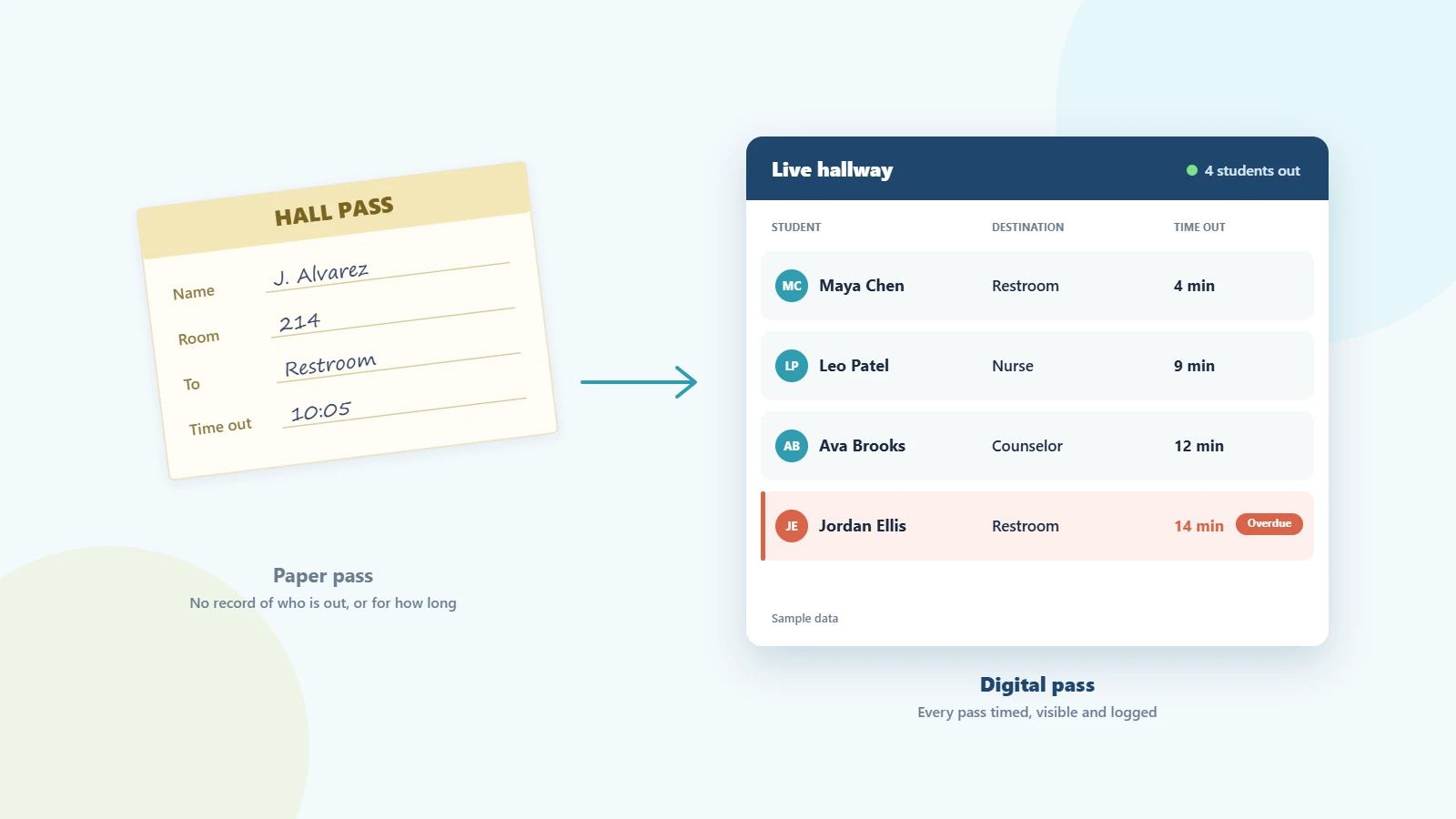
What a paper pass can’t tell you
A paper pass does one job: it shows an adult in the hallway that a student has permission to be there. Everything else is left to memory.
- Who is out right now. There is no building-wide view. Each teacher knows their own room, at best.
- How long a student has been gone. Most passes don’t have a time on them, and even when they do, nobody is watching the clock.
- Whether two students are meeting up. If two students with a known conflict leave different classes at the same time, nothing flags it.
- What happened last month. Slips get thrown away. When a parent or dean asks how often a student leaves class, the honest answer is a guess.
None of these are dramatic failures on their own. Together, they mean hallway decisions are made on instinct, and problems come to light after they’ve already happened.
What changes with a digital hall pass
A digital hall pass keeps the same simple routine (a student asks, a teacher says yes) but records it. That record is what makes the difference.
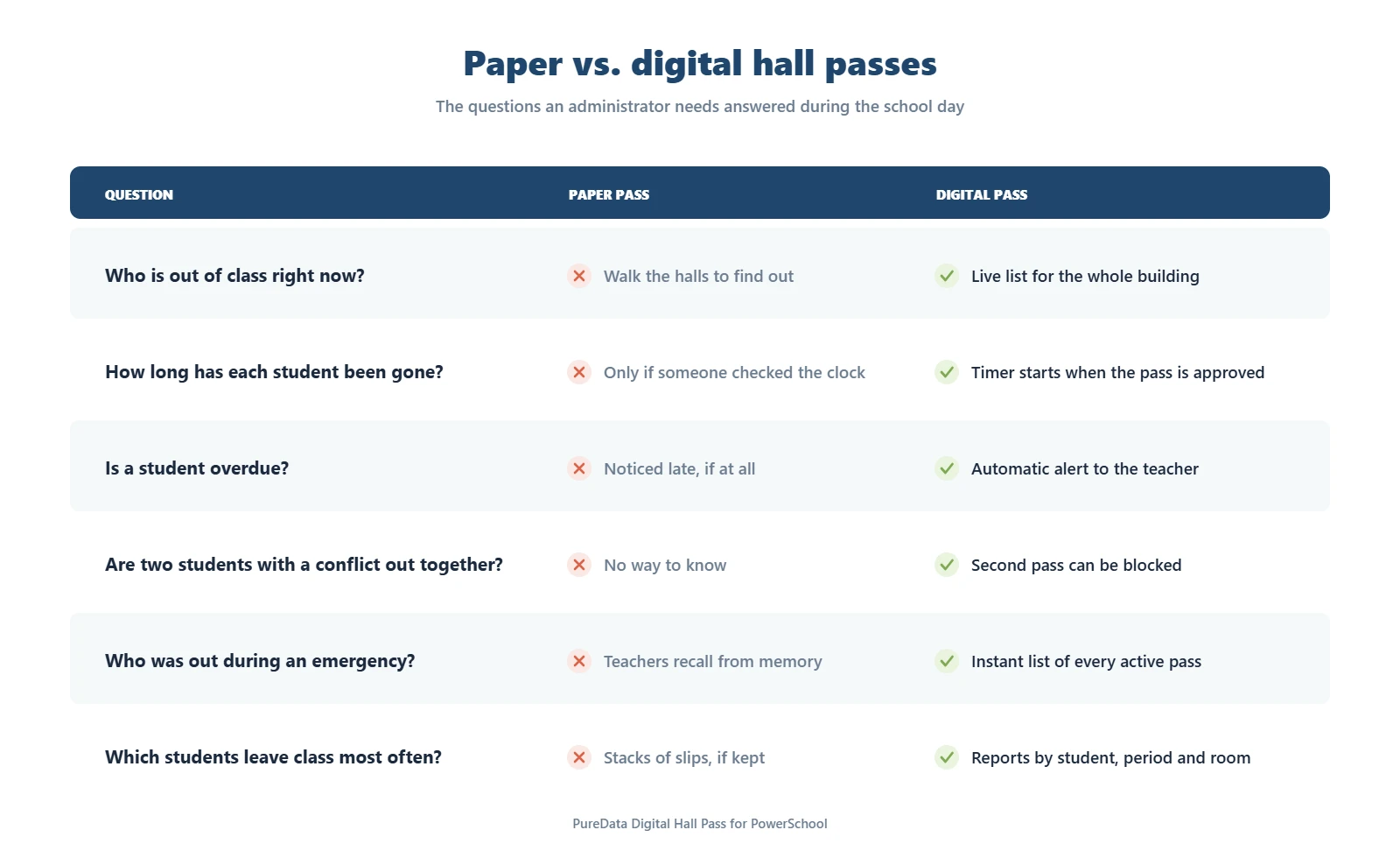
The time stamp becomes a timer. The timer becomes an alert when a student is late getting back. The list of open passes becomes a live view of the hallway that a principal or dean can check from anywhere in the building. And a few months of passes become data you can use: which periods see the most movement, which students are out far more than their classmates, whether restroom trips spike in one wing.
Schools that switch usually notice the change in routine before they look at any reports. Fewer students try to leave at the same time, because they know the pass is visible. Teachers stop wondering whether the student who left fifteen minutes ago is coming back. The front office stops fielding “is Jordan with you?” calls.
How it works in a normal class period
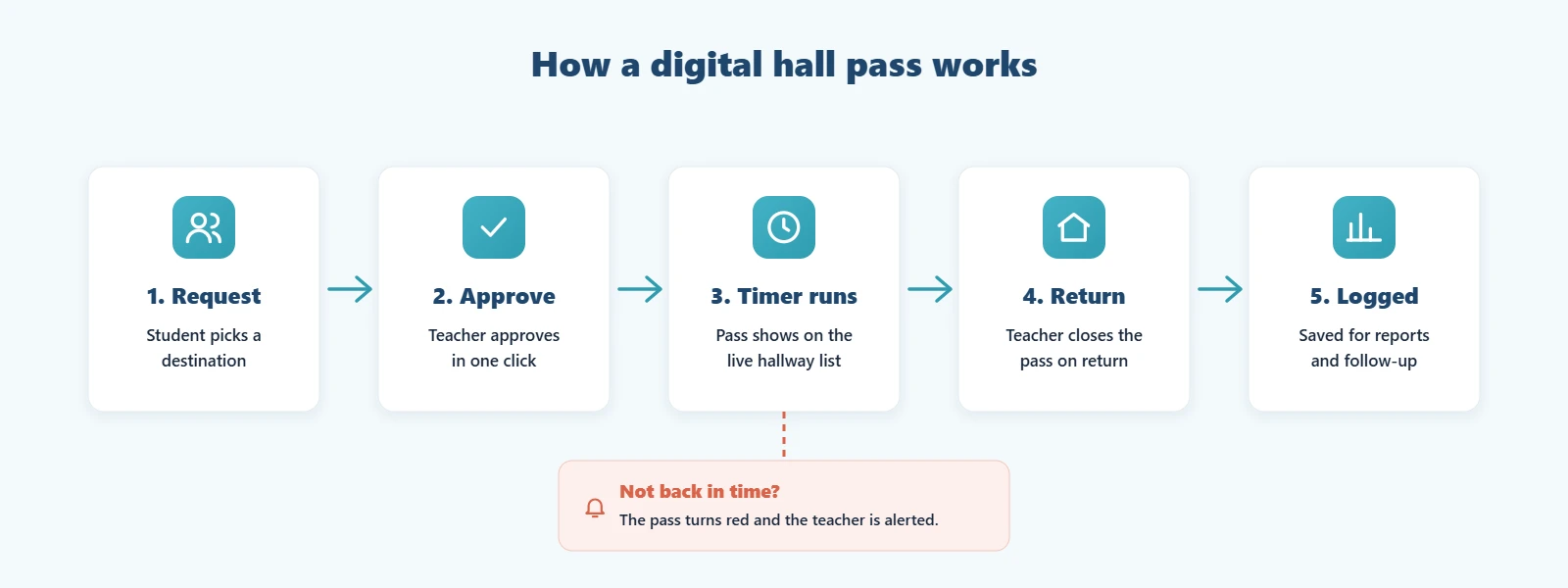
- The student requests a pass and picks a destination, such as the restroom, nurse or counselor. Depending on the setup, the student uses their own login, a shared classroom device, or the teacher creates the pass.
- The teacher approves it with one click, without stopping the lesson.
- A timer starts and the student shows up on the live hallway list.
- The student comes back and the pass is closed.
- The pass is saved with the time out, time back, destination and teacher, ready for reports.
If the student isn’t back within the time limit set for that destination, the pass is flagged and the teacher gets an alert. Administrators can be alerted too, if you set it up that way.
Common concerns, and how schools handle them
“Isn’t this just tracking students?”
It’s a fair question, and families do ask it. A digital hall pass records the same thing a paper pass does: where a student said they were going, and when. It doesn’t follow students with GPS or cameras. Because the record is consistent, it protects students who get wrongly blamed for wandering just as much as it catches the ones who are. Be upfront with families about what is recorded, who can see it and how long it’s kept.
“Our teachers don’t need another system.”
Agreed. This is where many hall pass tools struggle: a separate login, a separate roster, another tab to keep open all day. Teachers are far more likely to use it when the pass lives inside a system they already open every morning, such as the student information system.
“Not every student has a device.”
Most systems handle this with a shared kiosk device in the classroom, or by letting the teacher create the pass. Younger grades often use teacher-created passes only.
“What about student data privacy?”
Ask where pass data is stored, who can access it, and whether the vendor will sign your district’s data privacy agreement. Tools that keep the data inside your existing SIS usually make that review much shorter.
What to look for if you’re making the switch
Start with the questions you most need answered, usually “who is out right now?” and “who is out too often?”, and judge every option against them. A few practical checks:
- Does it use your real rosters and bell schedule, or does it need a separate sync?
- Can you set time limits by destination, and block passes for students who shouldn’t be out together?
- Can an administrator see the whole building, filtered by floor or grade?
- Can you export pass history for parent meetings and discipline reviews?
- How long does setup take, and who does it?
We go into each of these in our digital hall pass buyer’s checklist.
Where PureData fits
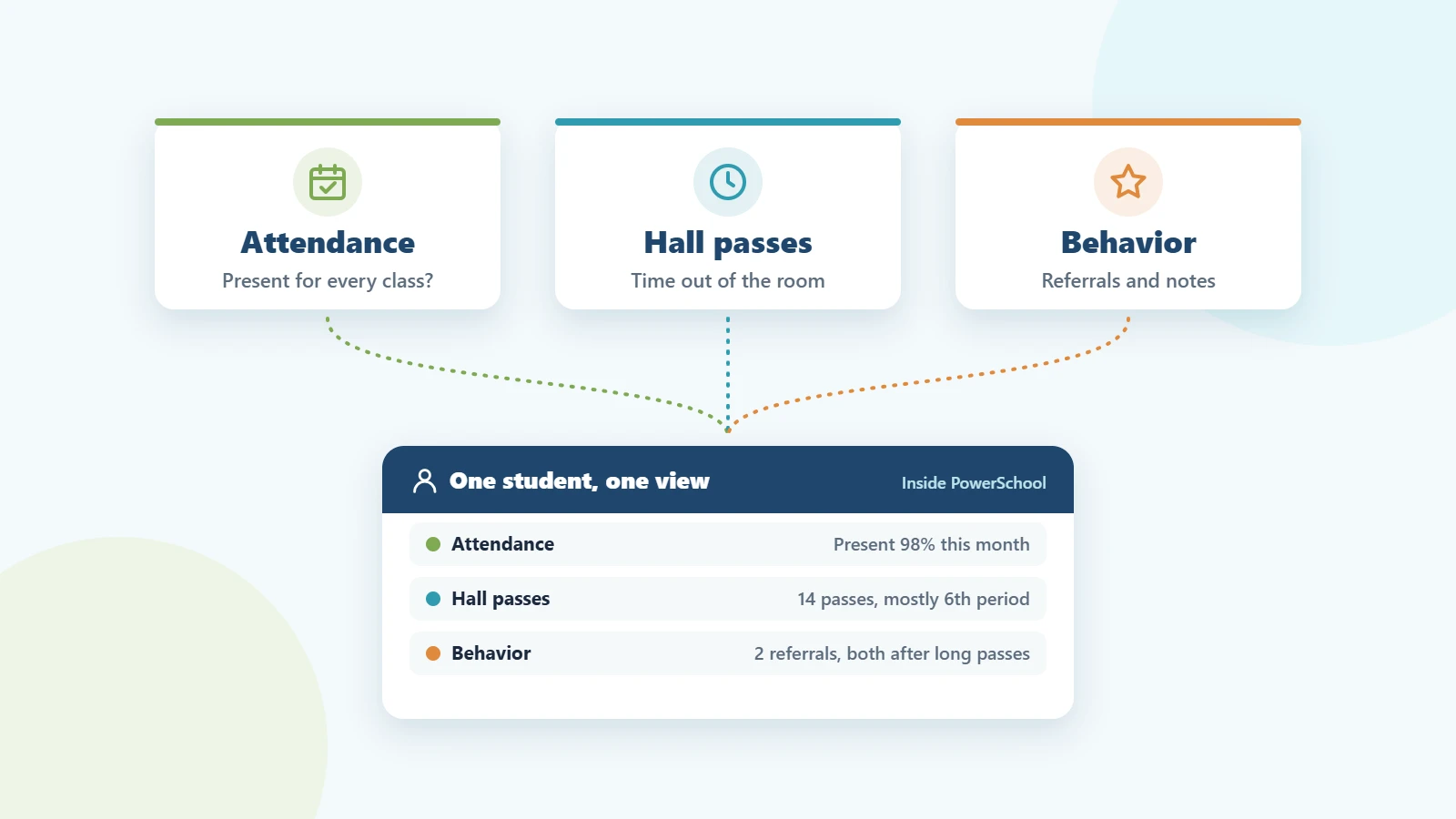
If your school runs PowerSchool, the PureData Digital Hall Pass is built inside it. Students request passes in the PowerSchool student portal, teachers approve them in the teacher portal, and administrators see every open pass on a live dashboard. There’s no separate login or roster to maintain, and pass history stays in PowerSchool next to attendance and behavior records. Our team installs and configures it within 24–48 hours, followed by one afternoon of staff training. Pricing starts at $149 per school per month for schools under 1,000 students.
Frequently asked questions
Are digital hall passes better than paper passes?
For accountability and safety, yes. A digital pass records the time out, time back and destination of every pass, gives administrators a live view of who is out of class, and flags students who don’t return on time. A paper pass can’t do any of that.
Do students need their own device?
No. Students can request a pass on their own device or a shared classroom kiosk, or the teacher can create the pass for them.
How long does it take to switch from paper to digital passes?
It depends on the tool. With the PureData Digital Hall Pass for PowerSchool, setup takes 24–48 hours and staff training takes one afternoon.
Can a digital hall pass help during an emergency?
Yes. Because every open pass is listed in one place, administrators can see right away which students were outside a classroom when an alert went out.
Thinking about replacing paper passes? Request a demo and we’ll walk you through it using your own PowerSchool setup.