PowerSchool midyear scheduling readiness rarely feels urgent in October. Then a counselor opens an email on the first Monday after winter break: a student’s new math class is missing, the old teacher still sees her name, and attendance cannot be entered where she is actually sitting. Down the hall, a teacher discovers that a newly assigned section has no roster. Together, before 9:00 a.m., these problems can consume an entire office.
Semester changes create a burst of small SIS decisions. Students add electives, teachers take over sections, course terms roll forward, and schools correct placements made in August. A careful review now gives registrars, counselors, teachers, and families a quieter January.
Why PowerSchool midyear scheduling readiness deserves its own review
A master schedule can be stable and still be unprepared for semester two. The issue is often not the course itself, but the dates and relationships around it. A section may use the wrong term. An exit date may overlap a new enrollment. A teacher assignment may begin a day late. An old attendance record may prevent a clean drop.
PowerSchool’s official Course Requests and Schedule documentation explains how enrollment dates, section changes, and scheduling choices interact. Treat that information as an operating reference, then test your district’s actual setup. Local calendars, grading practices, integrations, and staff workflows add another layer.
1. Confirm term dates before touching student schedules
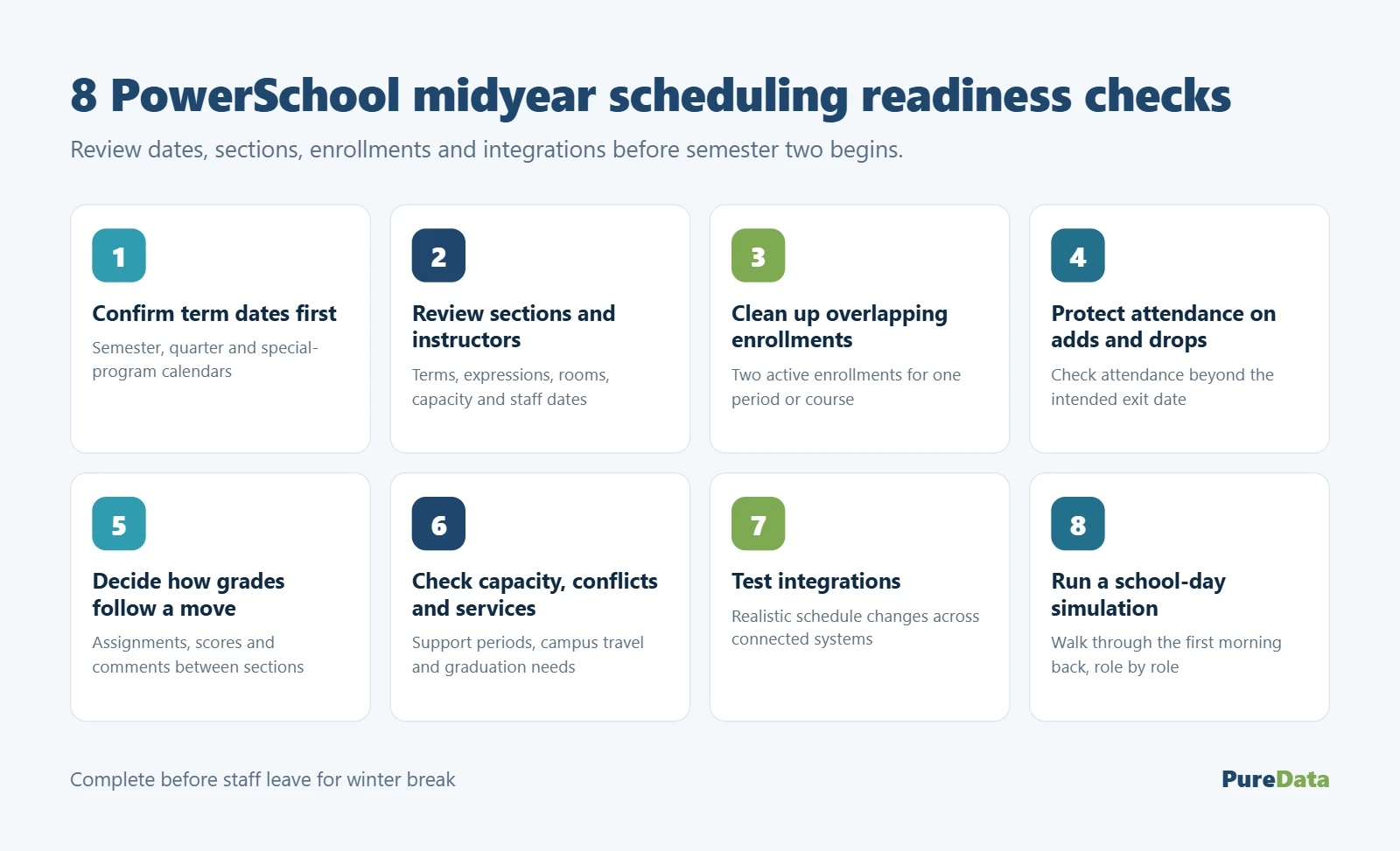
Start with the calendar, not the roster. Compare each school’s semester, quarter, or trimester dates with the terms assigned to second-half sections. Look closely at nonstandard programs—alternative schools, virtual courses, career centers, and dual-enrollment classes often follow a different rhythm.
Imagine a high school whose second semester begins January 6, while its career center resumes January 8. If both use the same enrollment assumptions, two days of attendance or membership can land in the wrong place. Document the first and last active day for every schedule group before counselors begin bulk changes.
2. Review sections, expressions, rooms, and instructors
Open a sample of semester-two sections and inspect the basics: course, term, schedule expression, room, lead teacher, additional staff, and capacity. PowerSchool’s Sections documentation is a useful field-by-field reference.
Staffing deserves special attention. A teacher who starts after winter break may already have a network account but still lack the correct section association. Conversely, a departing teacher may remain attached to classes that have changed hands. Check the instructional assignment and its dates. Teachers should see the right students on the right day—not earlier, and not after their responsibility ends.
3. Clean up overlapping and duplicate enrollments
Schedule changes made under deadline pressure can leave behind two active enrollments for the same period or course. Use real student scenarios to find overlaps: a student moving from standard to honors English, a senior replacing an elective, and a newcomer added after the initial scheduling run.
PowerSchool’s Registration History view helps staff review prior and current class enrollment dates, assignments, and teacher comments. The goal is a clear story. Anyone looking at the record should be able to tell when the old class ended, when the new class began, and why the change occurred. If the story is muddy, downstream attendance and grading may be muddy too.
4. Protect attendance when students add or drop classes
This is where a routine schedule edit can turn stubborn. PowerSchool’s Drop Section Enrollments guidance notes that an enrollment cannot be dropped when attendance exists after the proposed exit date. That safeguard prevents a schedule change from silently detaching attendance from the class where it was recorded.
Before shortening an enrollment, check for attendance beyond the intended exit date. Confirm whether the attendance is valid, entered against the wrong class, or generated by a late schedule decision. Correct the underlying record through your approved process, then complete the drop. Never pick a convenient date simply to make the screen accept the change.
5. Decide how grades and assignments will follow a move
A student’s schedule can look perfect while the gradebook tells a different story. Suppose Maya moves from third-period biology to fifth-period biology with the same teacher. Should her assignments and scores follow her? What if the sections use different categories or due dates? What will appear on progress reports?
Agree on rules before the first transfer. Counselors should know when to consult the teacher; teachers should know what to carry forward; SIS staff should know which changes require documentation. Test one same-course move, one different-course move, and one move between teachers. The answer depends on district grading policy, but ambiguity should not be the policy.
6. Check capacity, conflicts, and services before approval
A seat count is only the first question. A student may fit numerically but lose a required support period, create impossible travel time between campuses, or land in a section that does not meet a graduation requirement.
Build a short approval path for unusual changes. A counselor might initiate the request, special-program staff confirm services when applicable, and the registrar completes the SIS action. Keep the process light enough to use on a busy Tuesday. A three-minute review is cheaper than reconstructing the decision after a parent calls.
7. Test integrations with realistic schedule changes
Midyear edits do not stay inside the SIS. Learning platforms, assessment tools, transportation systems, identity services, cafeteria applications, and notification tools may consume enrollment data on different schedules. Create a few harmless test cases in an approved environment or with designated test records.
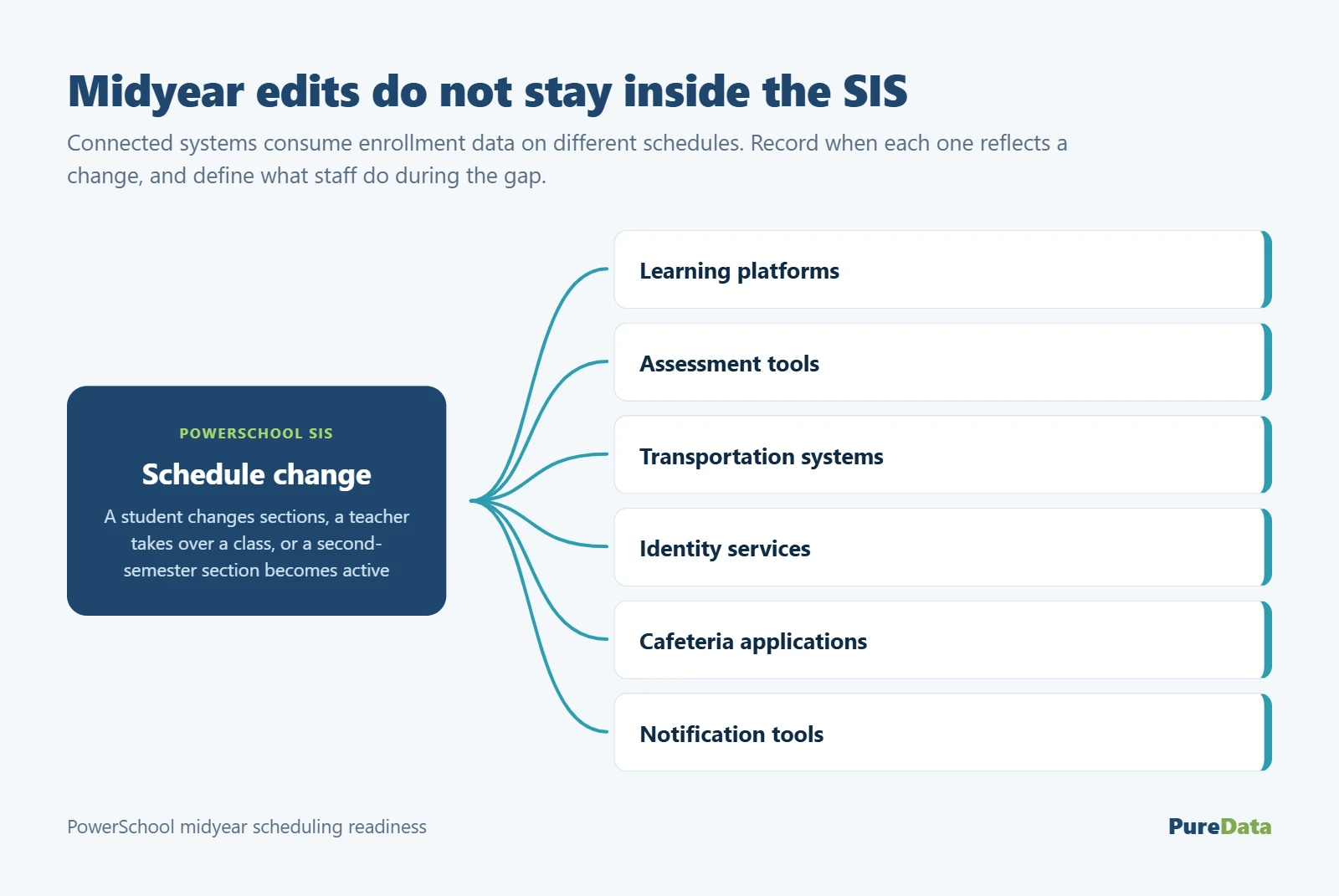
Watch what happens when a student changes sections, a teacher takes over a class, and a second-semester section becomes active. Record when each connected system reflects the change. If a nightly sync is expected, define what staff should do during the gap. “Wait and see” is not a support procedure when a student needs coursework that morning.
8. Run a school-day simulation before winter break
A technical review catches configuration errors. A school-day simulation catches operational ones. Ask a registrar, counselor, teacher, and building administrator to walk through the first morning back.
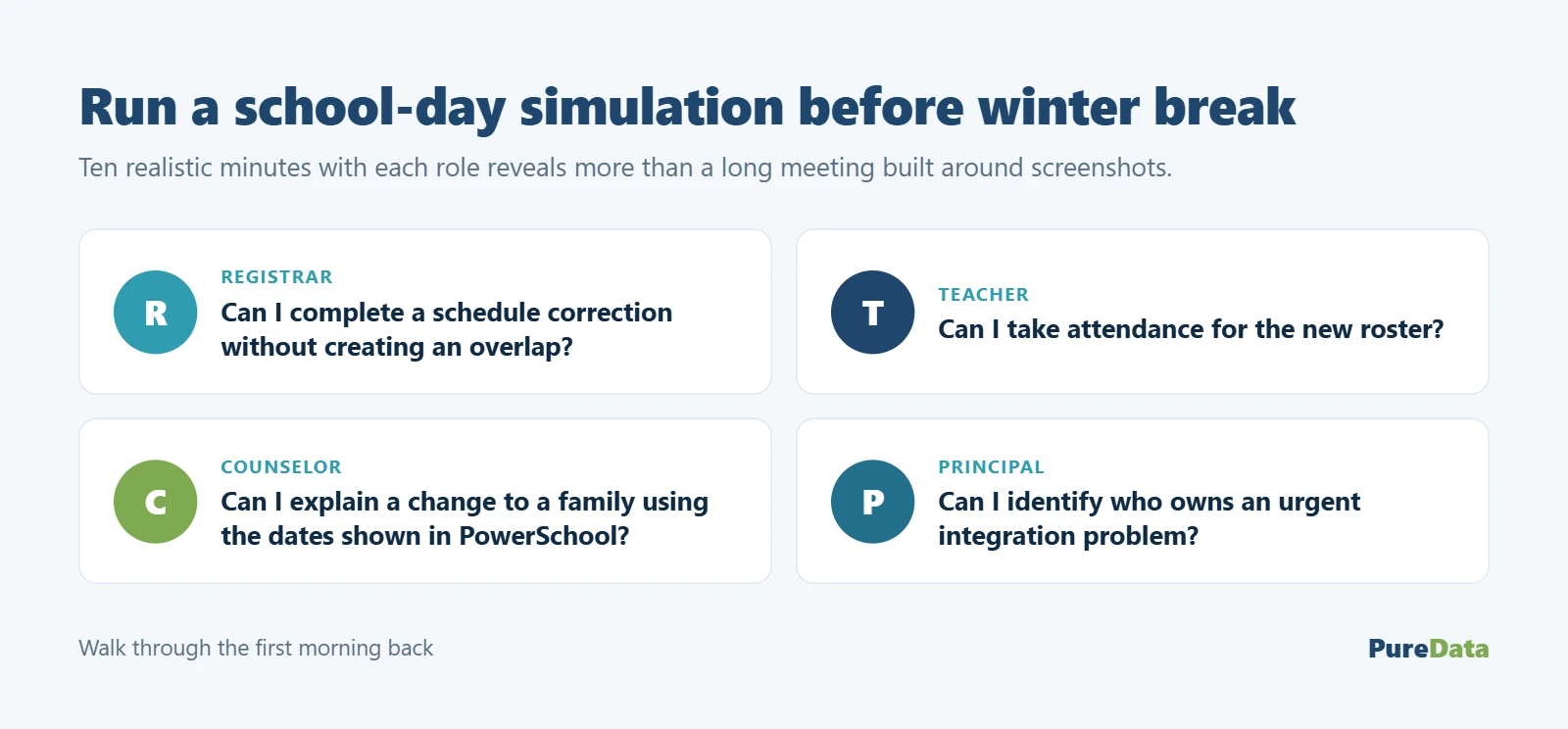
Can the registrar complete a schedule correction without creating an overlap? Can the teacher take attendance for the new roster? Can the counselor explain a change to a family using the same dates shown in PowerSchool? Can the principal identify who owns an urgent integration problem? Ten realistic minutes with each role will reveal more than a long meeting built around screenshots.
PowerSchool midyear scheduling readiness checklist
- Confirm semester and grading-term dates for every school and special program.
- Review section terms, expressions, rooms, capacities, and instructor assignments.
- Identify duplicate, overlapping, or unexplained course enrollments.
- Check attendance before changing any class exit date.
- Define how assignments, grades, and comments should be handled during moves.
- Review conflicts involving services, campuses, prerequisites, and graduation needs.
- Test schedule changes across high-priority integrations.
- Publish an escalation path for counselors, registrars, teachers, and school leaders.
- Run first-day-back scenarios before staff leave for winter break.
- Schedule a short audit after the first three school days of the new term.
Give the work a clear owner
Midyear readiness is easy to postpone because it sits between departments. Counseling owns student decisions. School offices manage the daily record. Technology supports integrations. Curriculum teams define course and grading expectations. Someone still needs to coordinate the whole picture.
A district may handle that internally, or use PowerSchool Managed Services to add experienced capacity for review, testing, documentation, and first-week response. The point is not to remove local ownership. It is to make sure local teams are not discovering dependencies while students wait at the counter.
A clean semester transition is rarely the result of one heroic fix. It comes from dates that agree, sections that reflect reality, staff who know the handoff, and representative tests completed early. Do that work now, and January can begin with counselors helping students—not untangling yesterday’s records.