
AI FOR K-12 SCHOOL DATA
School Insight: Ask your school data better questions
Ask School Insight Chat in plain language. It draws on your SIS and other Infobase sources to explore GPA, attendance, behavior, and assessments together.
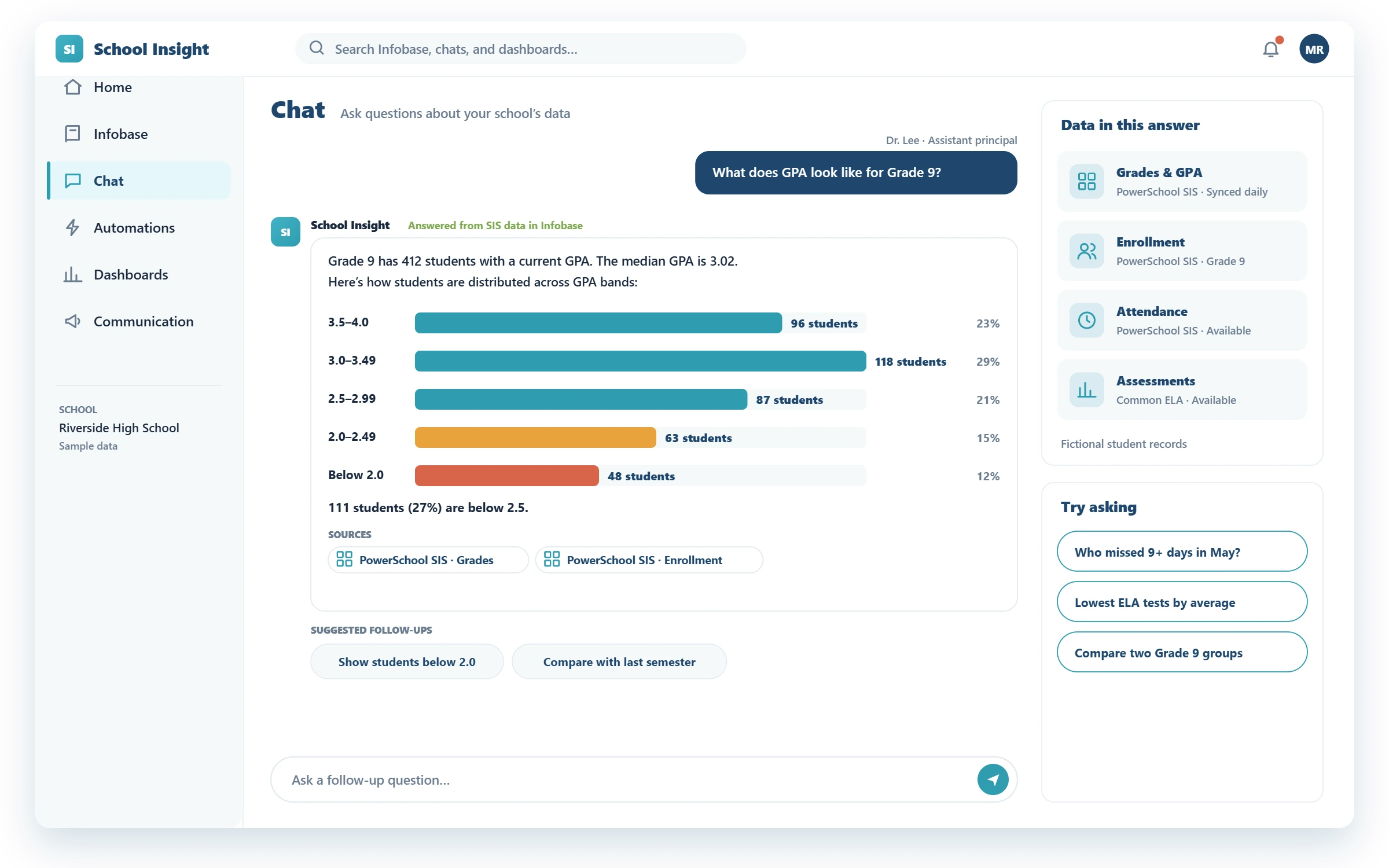
EXAMPLE QUESTIONS
Start with a question your team already has
GPA
See how a grade level is doing
ATTENDANCE
Find students who meet a threshold
ELA TESTS
Review performance on ELA tests
GROUP COMPARISON
Compare groups across measures
HOW IT WORKS
From a Grade 9 GPA question to a student support follow-up
1. Bring the data together
GPA, attendance, behavior, and assessment data from your SIS, plus your student support procedures, in Infobase.
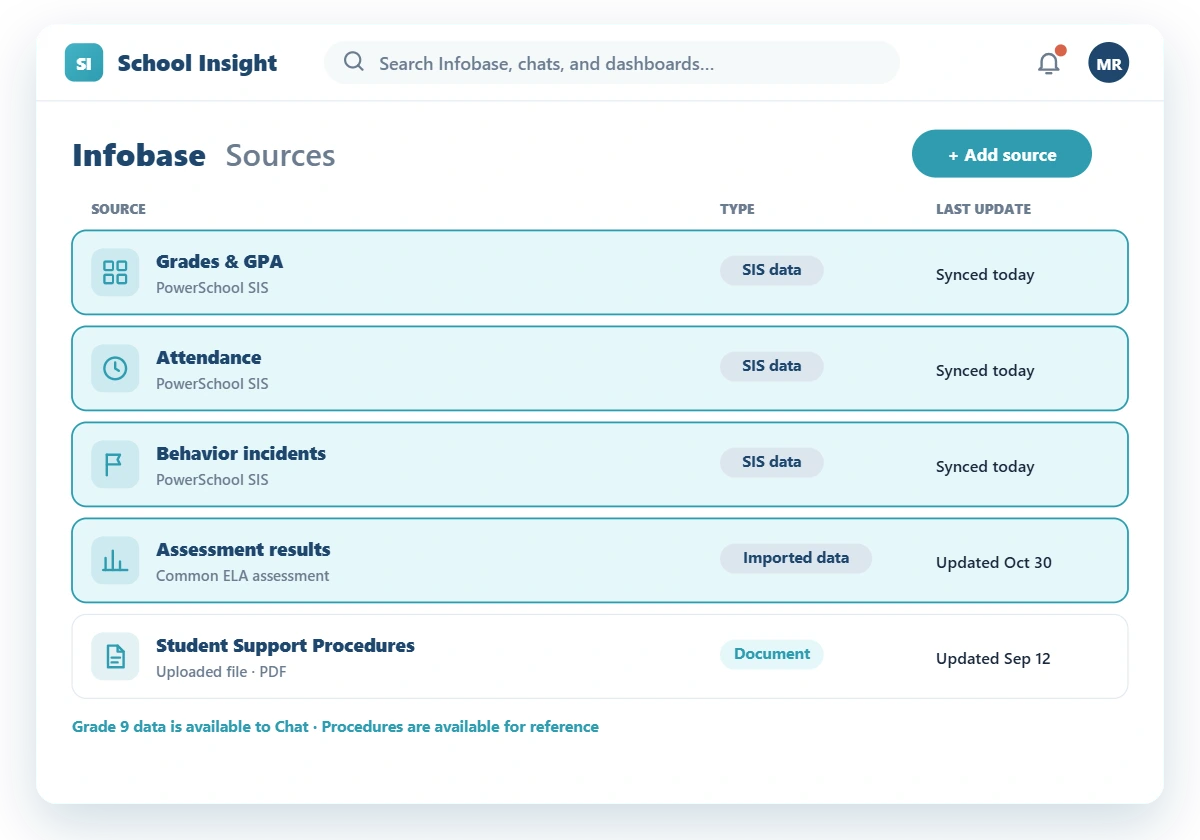
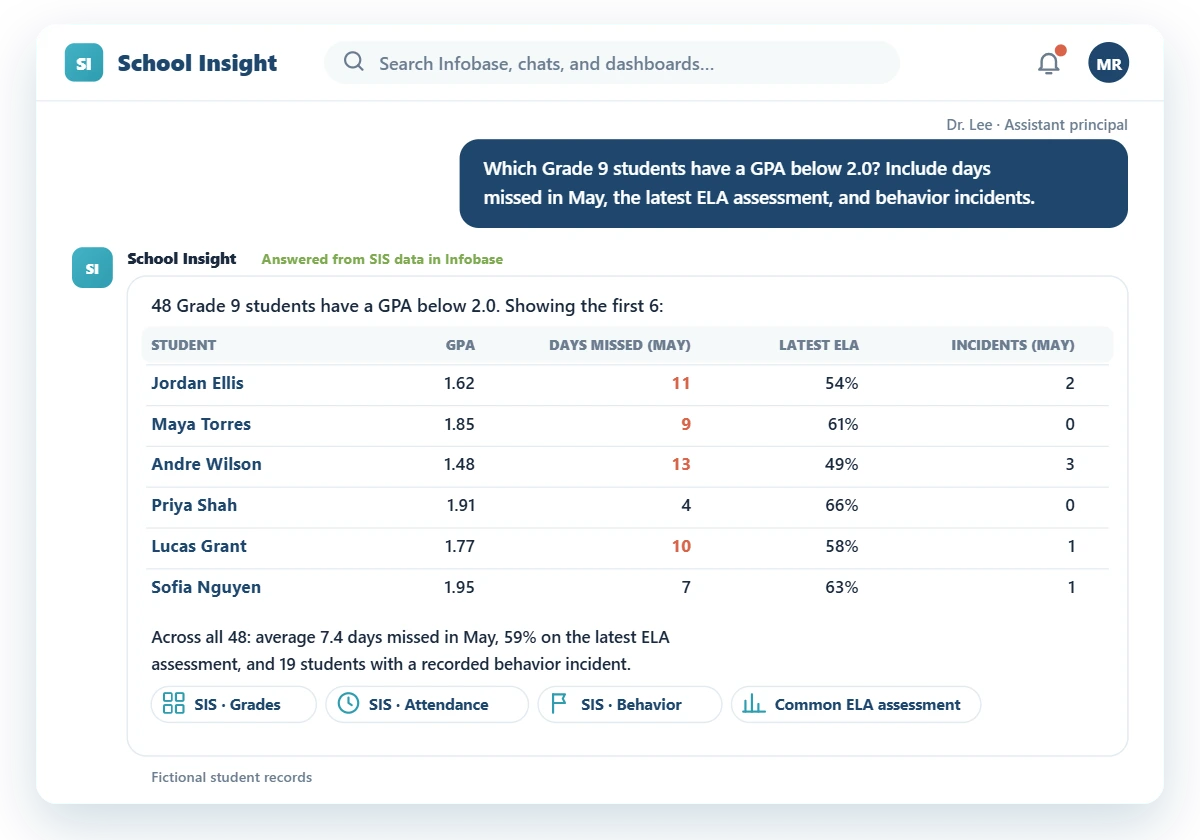
2. Explore the grade in Chat
An administrator asks “What does GPA look like for Grade 9?” and then looks at students below the school’s GPA threshold, with attendance, assessments, and behavior added to the review.
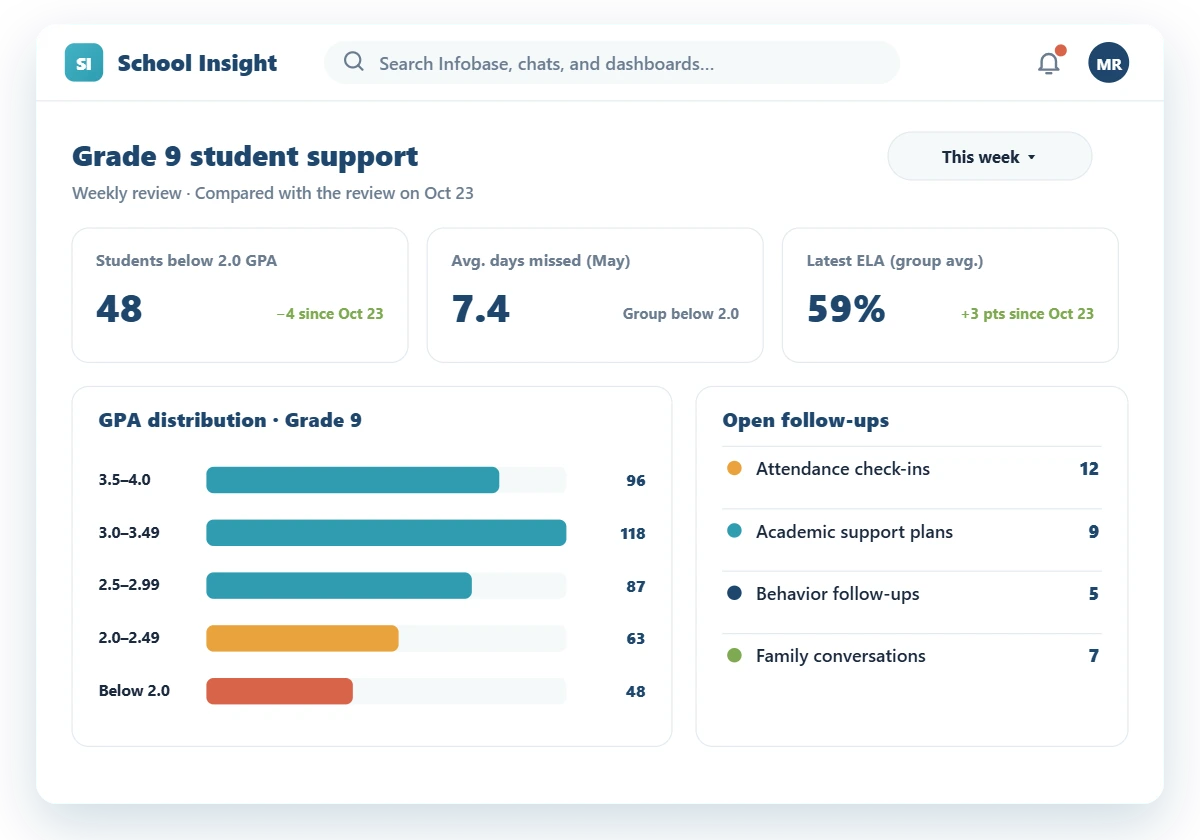
3. Review progress in Dashboards
At each student support meeting, the team reviews the same measures and sees what has changed.
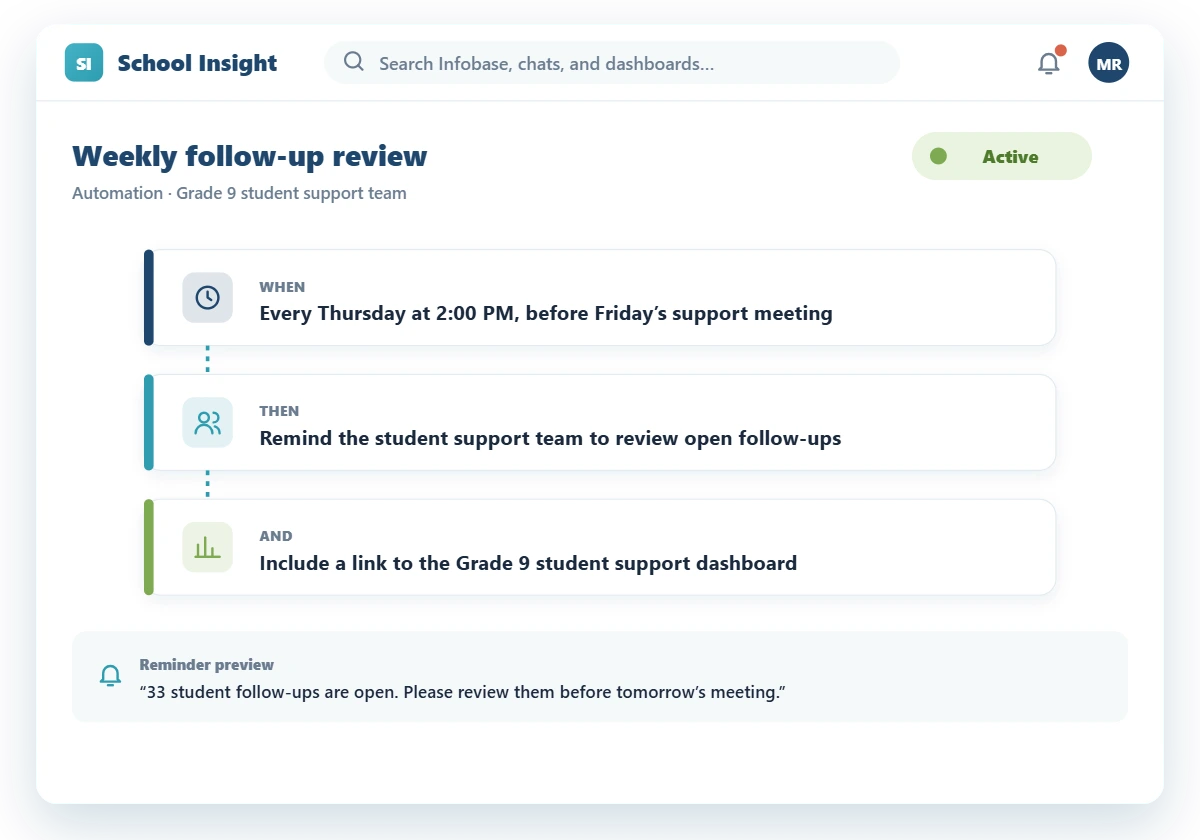
4. Automate the weekly reminder
Staff set a reminder to review open follow-ups before every support meeting.
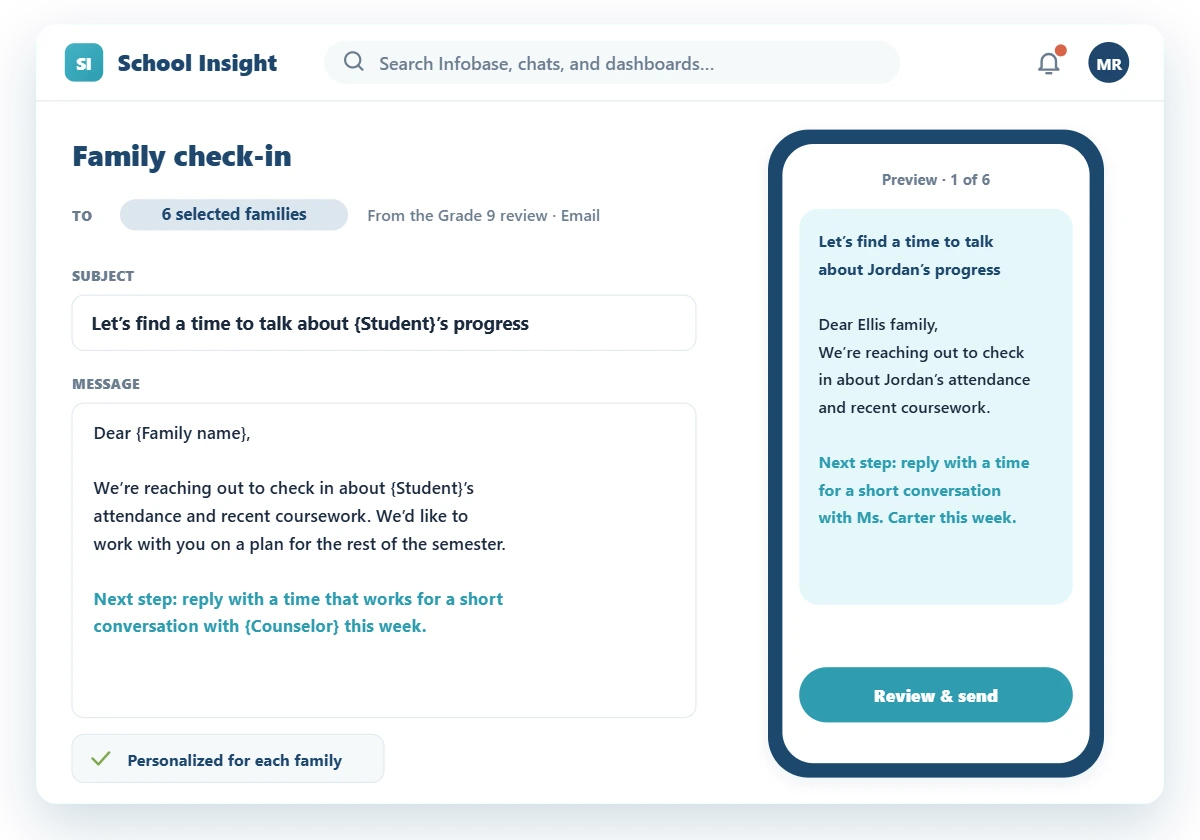
5. Share next steps with families
After reviewing each record, staff send families a check-in with a clear next step.
MEET THE TOOLS
One place to work with school data and act on it
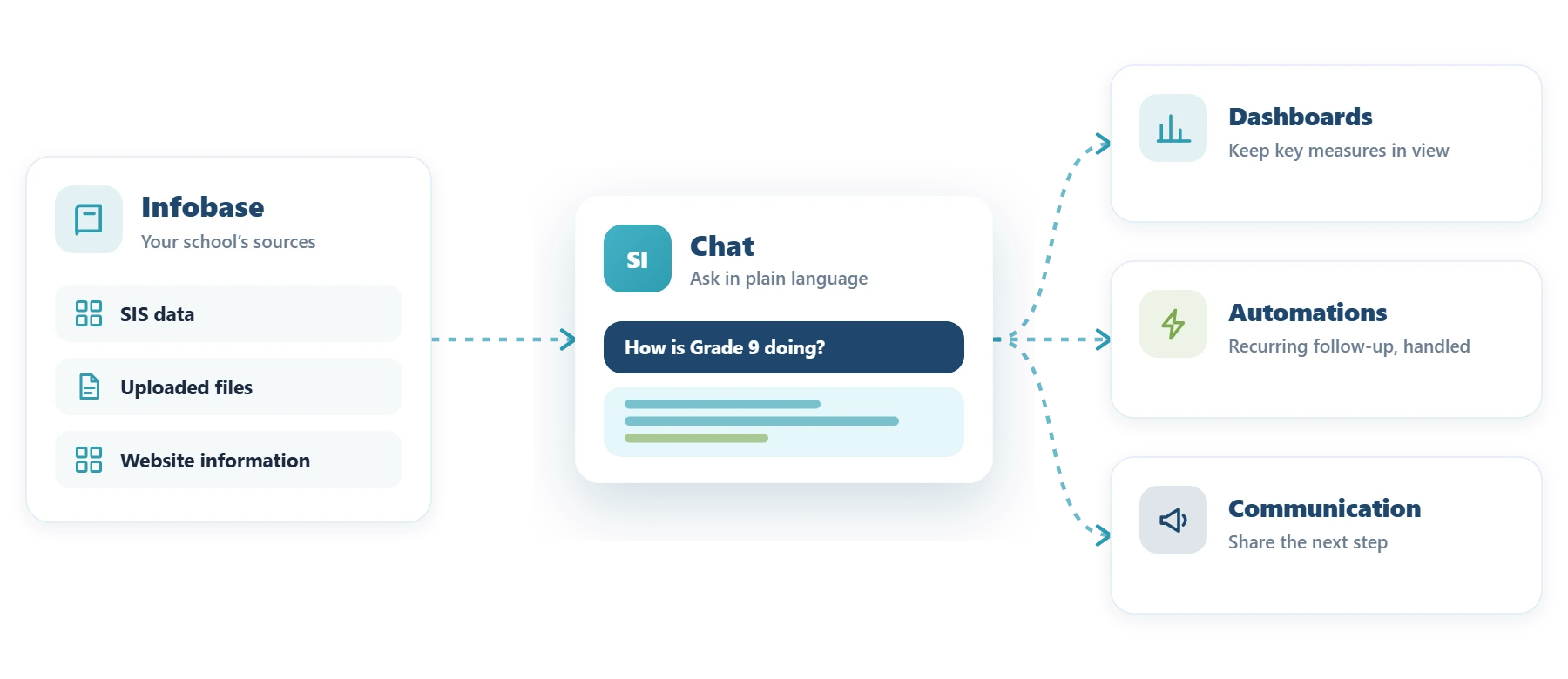
Infobase
SIS data, uploaded files, and website information, ready for Chat.
Chat
Ask in plain language. Narrow by grade, date range, course, or group.
Dashboards
Keep GPA, attendance, and assessment measures in view at every meeting.
Automations
Recurring reminders and follow-ups, handled on schedule.
Communication
Share the next step with families and staff.
Frequently Asked Questions
Yes. Chat uses the SIS data available through Infobase, along with uploaded files and website content.
Yes. When that data is available, Chat can bring the measures together. For example, it can compare two Grade 9 groups across attendance, assessments, and behavior.
As specific as you need. Set the grade level, course, date range, threshold, or grading category.
Pricing is quoted per school or district, based on enrollment and the tools you need. Request a demo and we will send you a quote.
Bring a question you’d ask about your school’s data
In a demo, we’ll show how School Insight answers it and how your team can plan the next step.